
Last Updated on December 12, 2021
Wally is a budgeting app that you can download through the app store similar to other apps we’ve reviewed such as GoodBudget, Every Dollar, Pocketguard, Mint, or You Need A Budget (YNAB).
Contents
What is Wally and Is it Right For You?
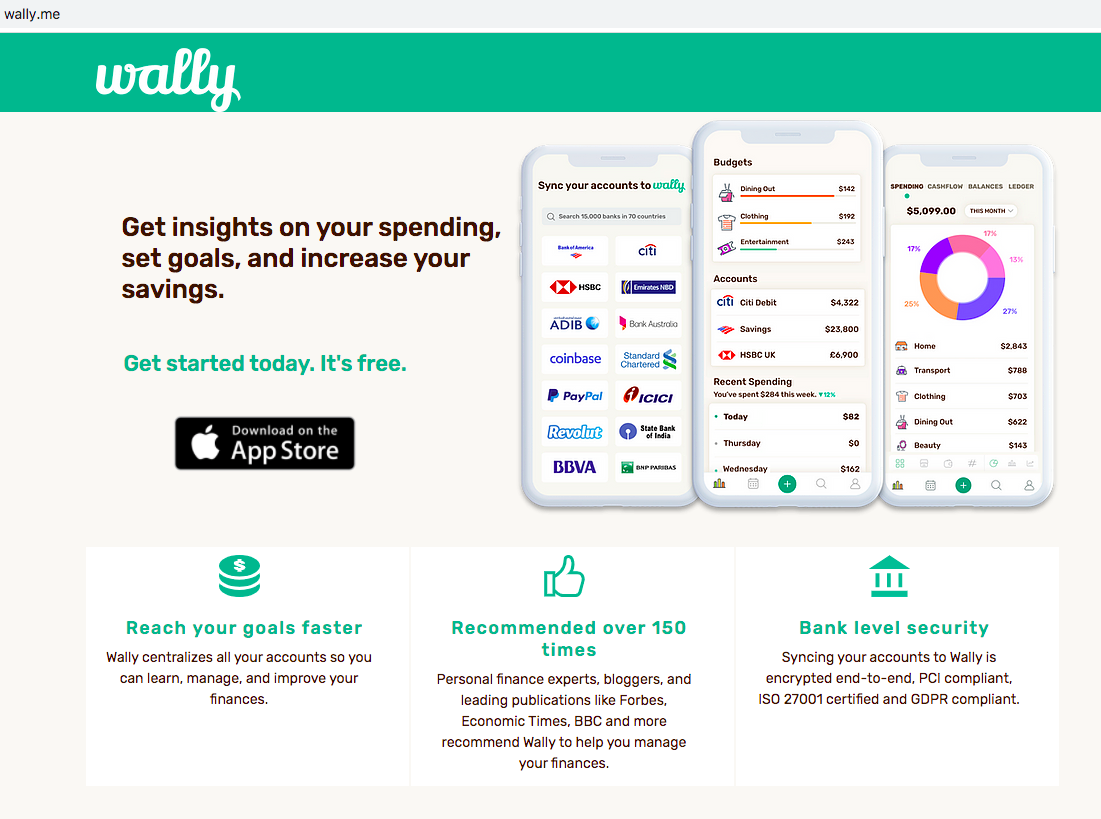
Although Wally doesn’t have a presence on a website, they do have a homepage that gives an overview of the app and how it can help you to manage your money.
The Wally app allows you to track your money locally and internationally, which is something that sets it apart from previous apps that have been reviewed. Wally offers a free app and a paid version as well – which includes more features.
Like with all other app programs, I highly recommend coming to the app prepared with your financial information, such as logins, bills, and debts. You may also consider using the free version for a month and the paid version for another month or more in order to determine if the features offered work for you in your current financial situation.
How do you use Wally?
In order to start using Wally, visit the app store from your mobile device and search for the Wally: Smart Personal Finance app. The app itself is free, but you will see the option of a paid-for monthly service once you are in the app.
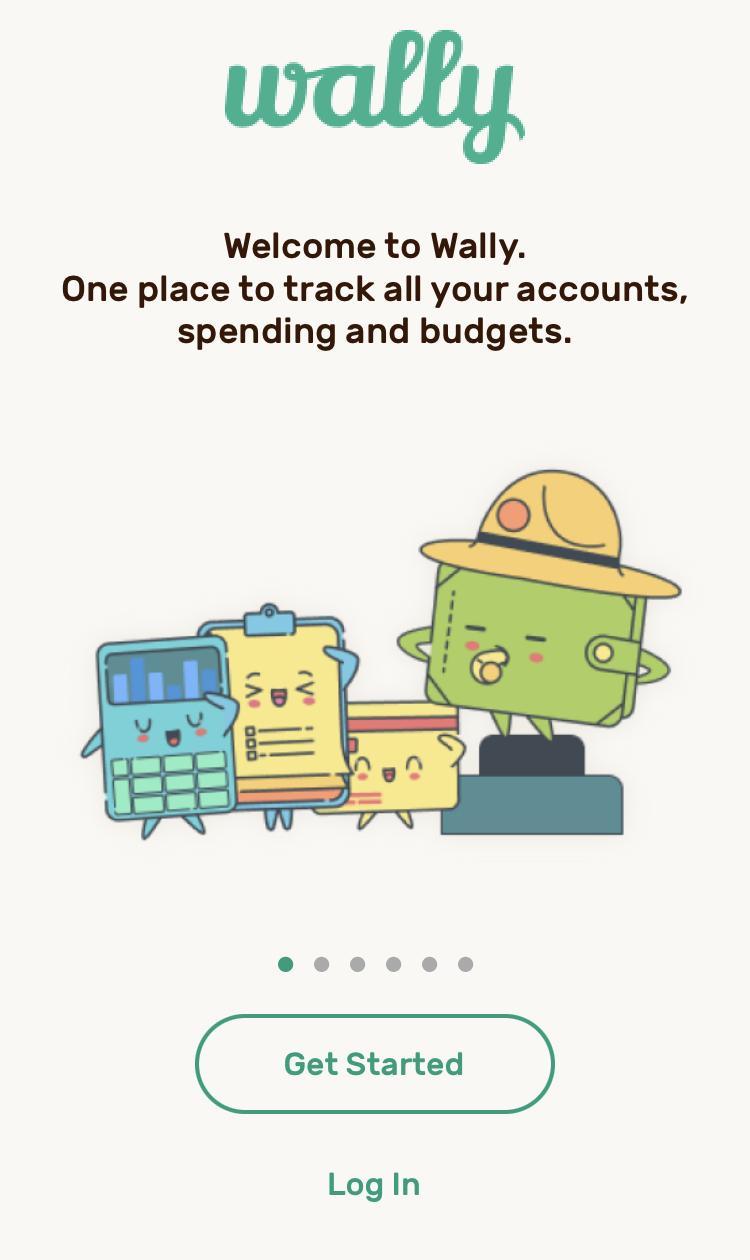
In order to sign up, use an email you have access to and create a secure password that you will not easily forget. Once you have signed up, you will see a screen that asks what you would like the app to help you focus on while you are using it.
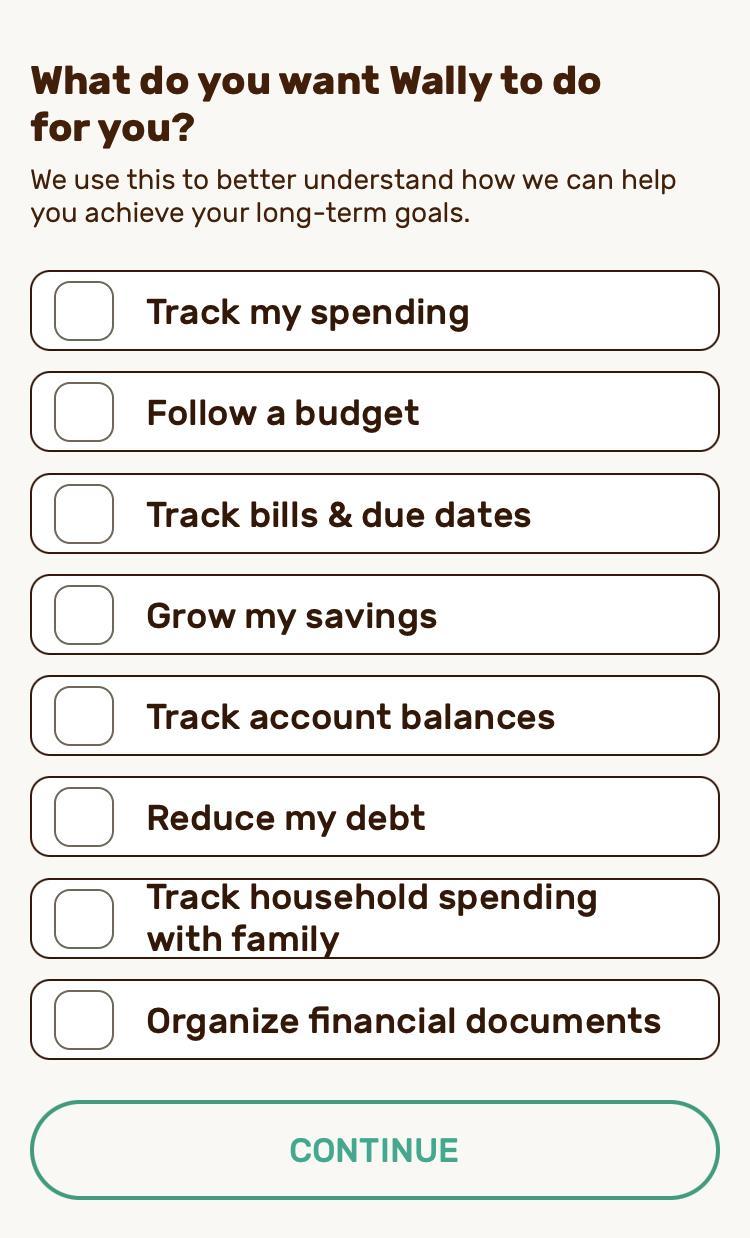
With any new app or budget program, I highly recommend you keep a record of your financial goals in order to help you stay motivated and focused on what is most important to you and the current situation you are in.
Review them often, celebrate the wins and update the goals when it is applicable. Aim to always have 3-5 goals you are trying to achieve – and consider having at least one short, mid and long term as well.
For example, on this list, a short term goal might be to track your spending weekly, a midterm goal might be to grow your savings to a certain amount within six months to a year, and a long term goal may be to reduce your debt significantly in the next 3 – 5 years.
Once you have selected the goals you wish to work on with Wally, you will be asked to connect your accounts. You can connect several different options, including credit cards, checking and savings, digital banks, online wallets, loans, foreign accounts, and cash. Syncing the accounts is secure, and Wally uses Plaid to maintain its security.
If you do not feel comfortable linking your accounts through the app, you can always upload the amount you have through the Cash option. If you do this, you must track your money yourself – as often as you can, so that you remain up to date and don’t overspend.
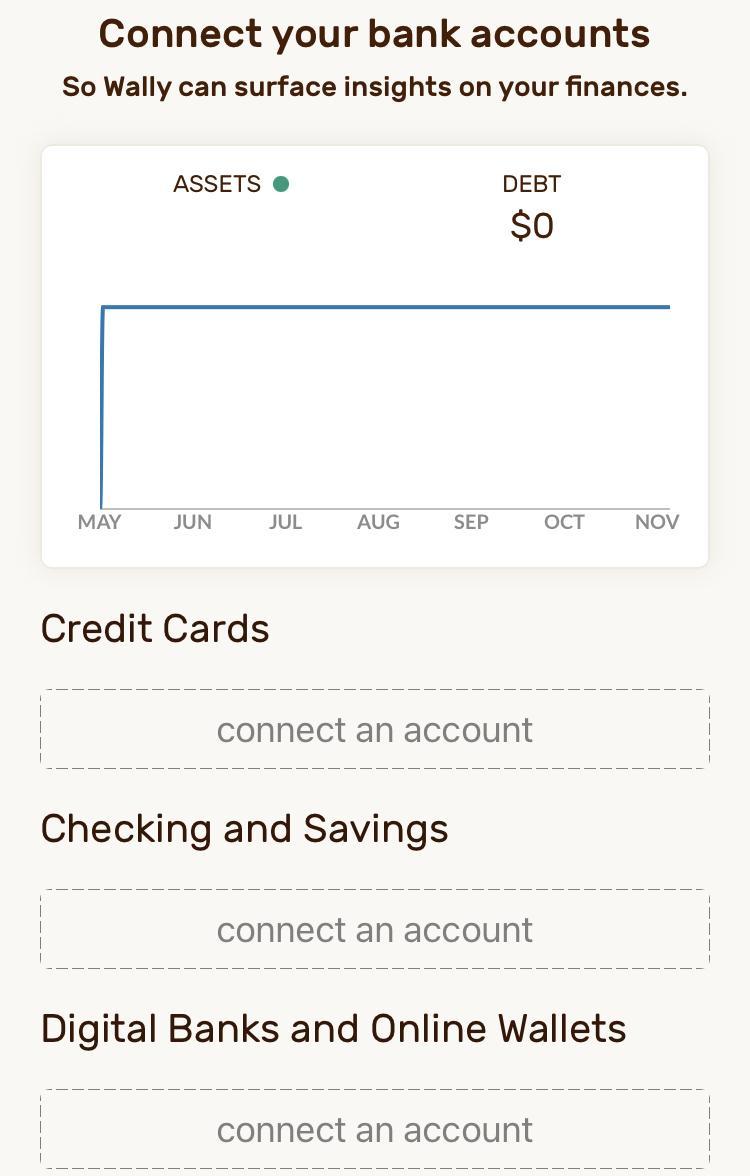
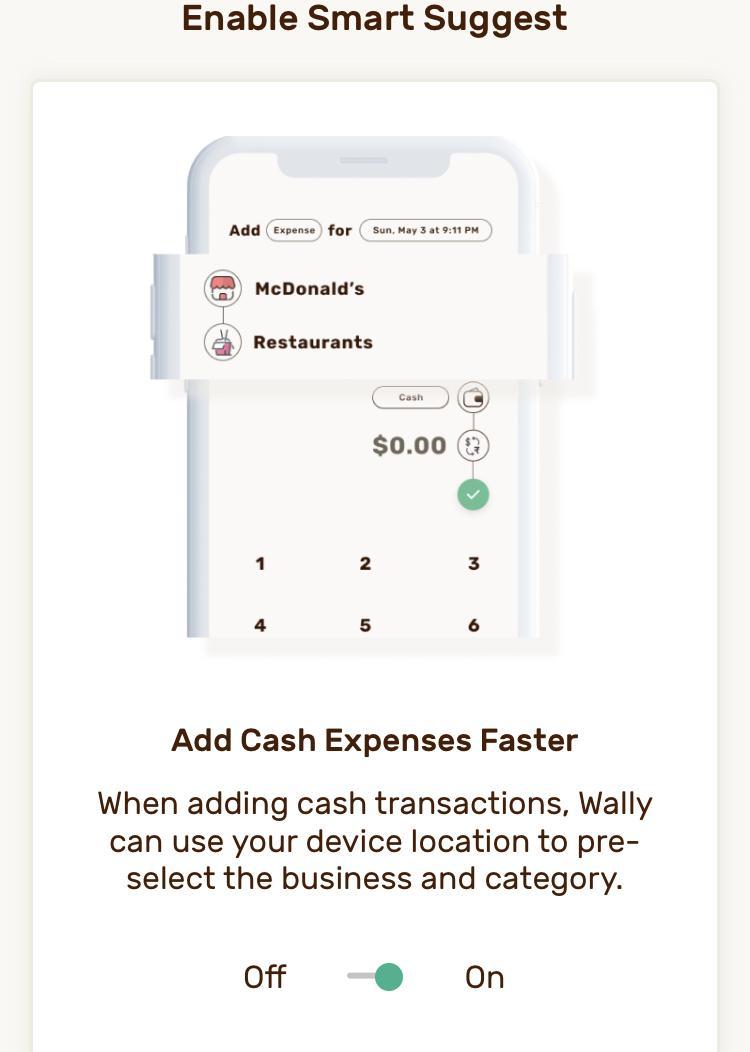
You can easily switch notification options on or off. One example is the ability of Wally to track your location for cash transactions.
While you are in this section, you will also be given the option to choose the notifications you want to receive. If you so choose, you will also be able to share your location, which is used to help the app track your transactions. Wally also offers you an upgrade in this location. The information for upgrading is located below.
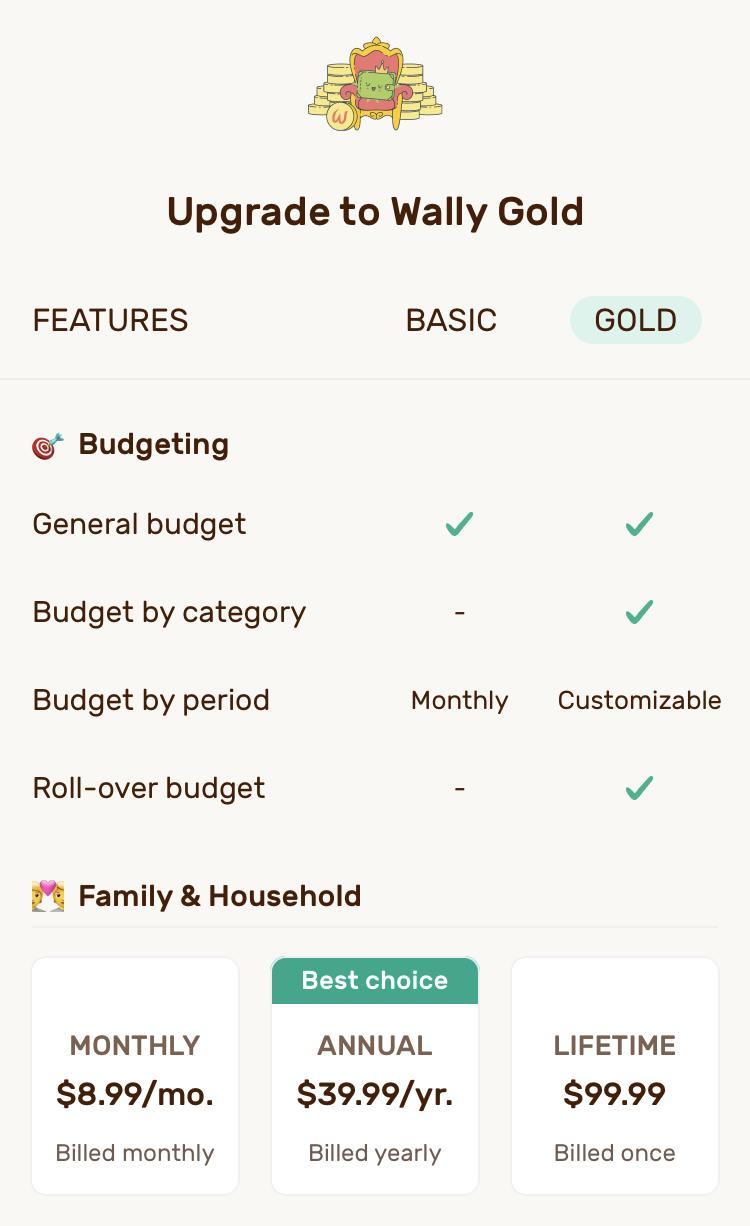
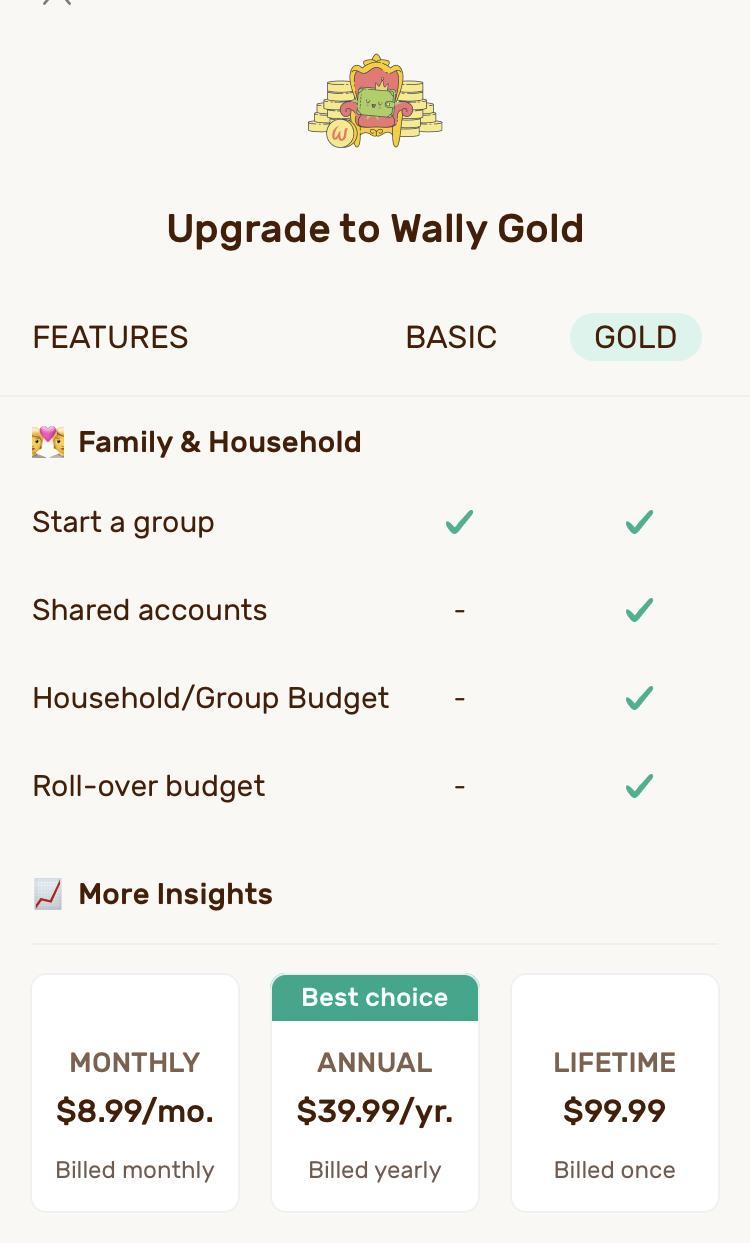
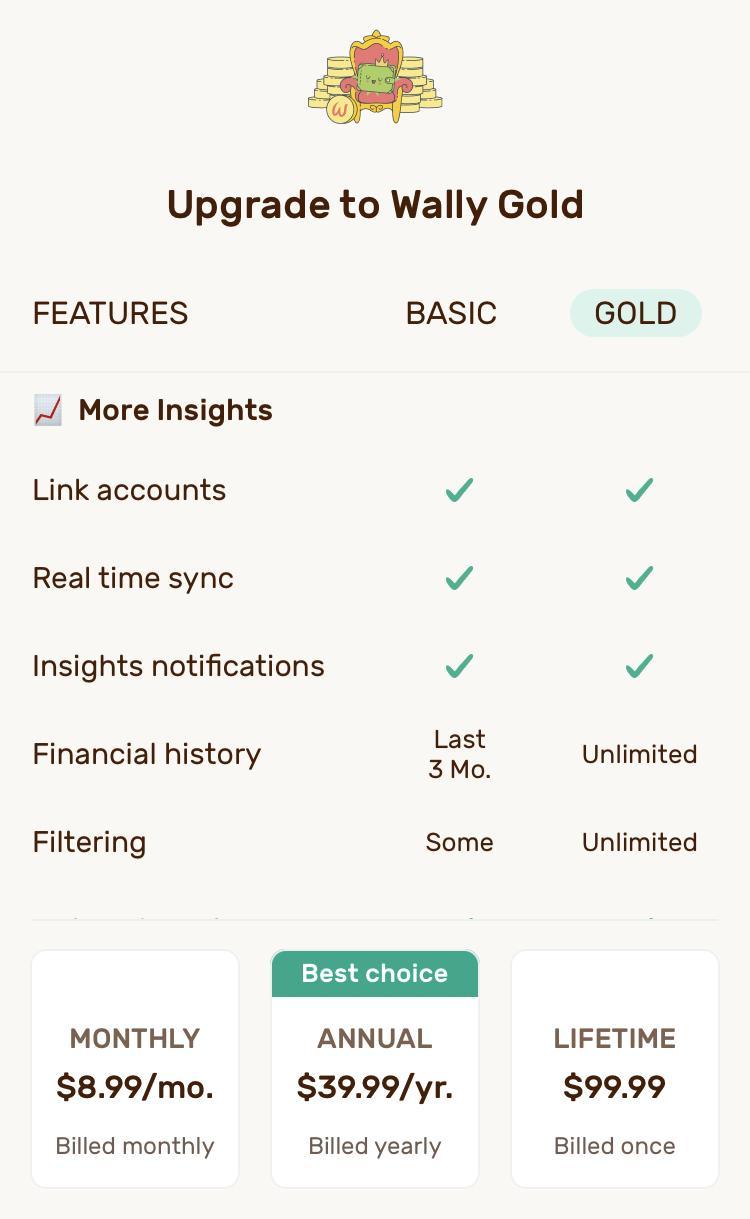


As you can see, a monthly subscription would cost you $8.99, annual $39.99, and lifetime $99.99. You may consider trying a month at $8.99, then determining how committed you are to using the app. If you plan to use it for more than three years, you will benefit from the lifetime membership. Otherwise, you may consider paying monthly or even annually.
Wally will regularly open up to the Highlights tab. This will show you a total – the amount you have left to spend for this budget. It will show you a graphic up to three months back (if you have not paid for the upgrade) and up to 7 days of recent transactions. As you scroll down, you will also see the amount of money you have available in your recently used accounts.
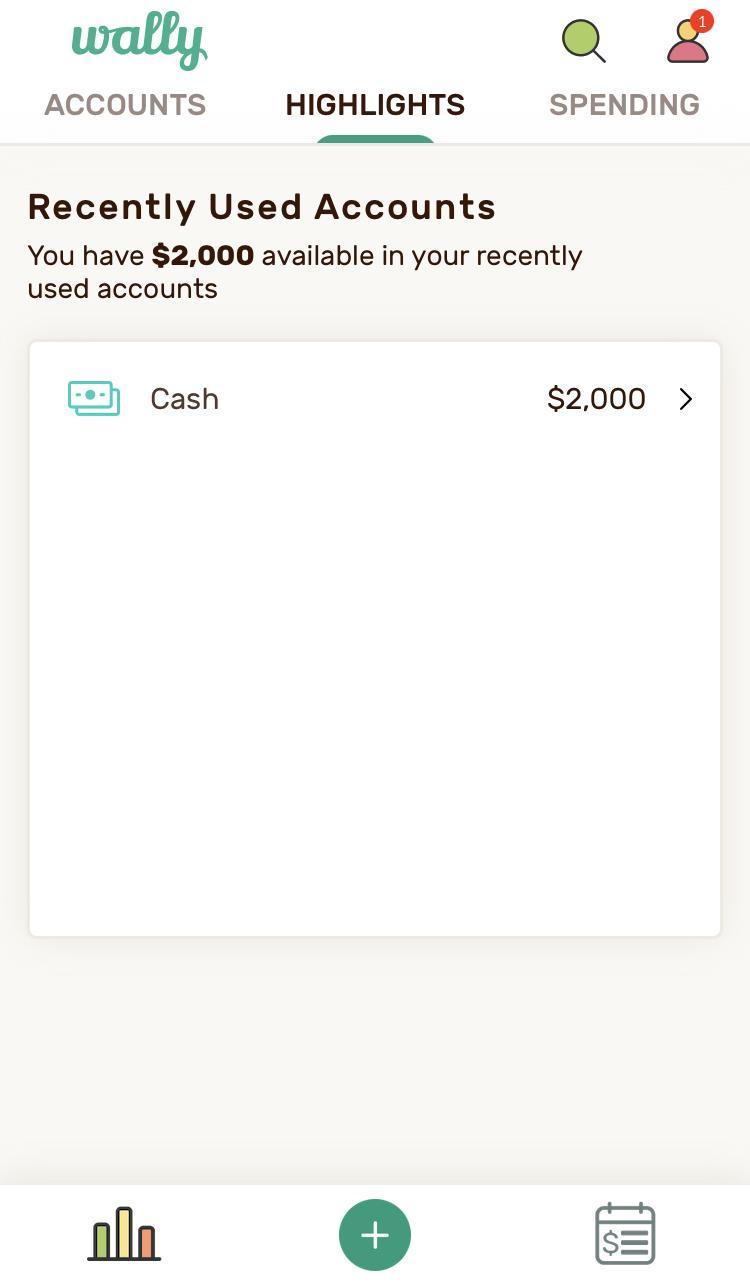
From this point, you can explore tabs on the app, such as Accounts. Accounts is located at the top right of the app, next to Highlights. This will show the accounts you have synced to the app as well as your net worth (debts and assets).
The regular app allows you to view information about your account for only the past three months, while Wally Gold allows you to see further back.
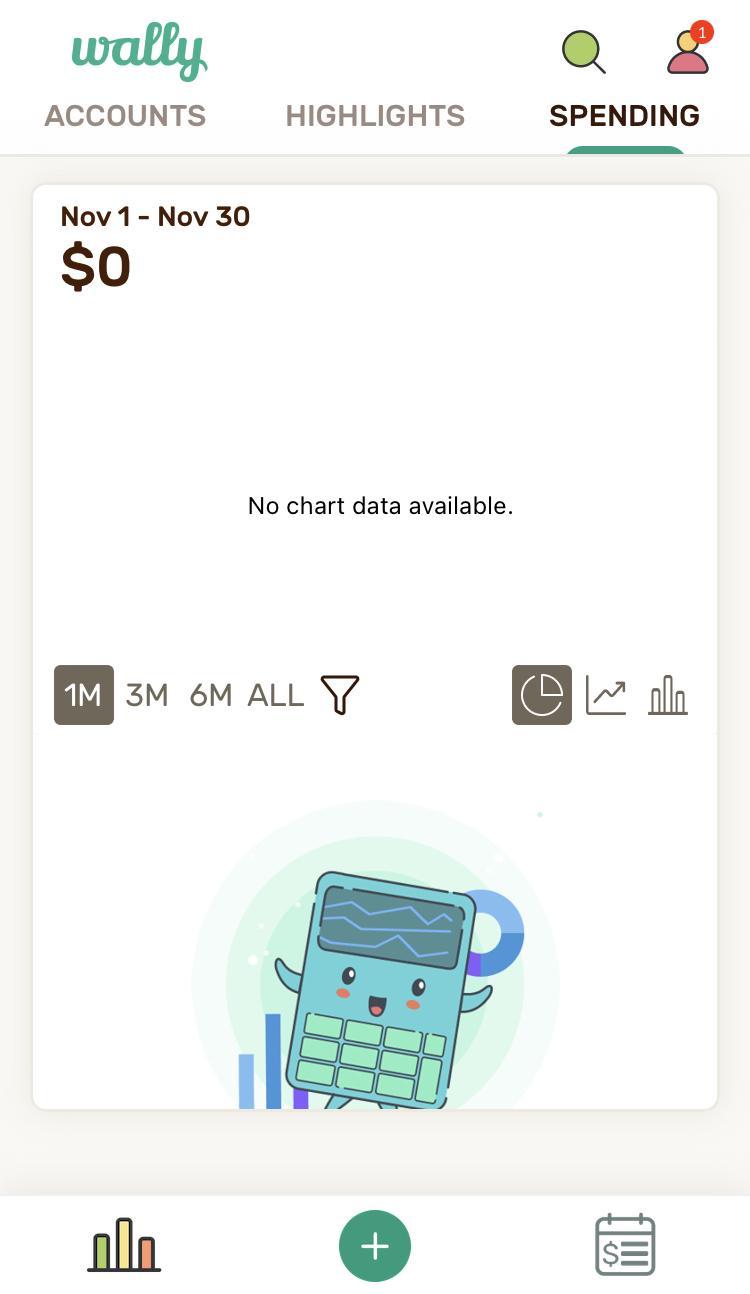
The Spending tab is located at the top left of the app, next to Highlights. This tab gives you a graphic of your spending for the last month and 3 to 6 months if you have the upgrade. There are three different ways to view this as a graphic. This also lists recent transactions below. If you click on them, you are able to see more details about each one.
Above the Spending tab is a green search button (magnifying glass). Here you can search for accounts, groups, tags, categories, and businesses (discussed below). This is especially helpful once you have used the app for a while and have a hard time sorting through all of the information.
Also above the Spending tab is a symbol of a person. Clicking on this sends you to your profile, where you can update information like your email address and upgrade your version of the app to Wally Gold. You also have the option of changing your financial settings, viewing the Library, exporting your transactions, managing notifications, and checking the status of your synced accounts. You can also seek help, give feedback and learn more about Wally.
At the bottom center of the app is a green plus button you can use to add payments and accounts, set budgets, and start a group. By adding payments, you will be given the option to allow your location to be tracked.
For the purposes of this app, your location is tracked to assist in keeping a record of transactions. Once you have chosen whether or not to do that, you enter whether this is an expense, income, or transfer.
You then input the date and time of the transaction. You can add a place (or your location tracking will give you options), choose a type of transaction (general, home, travel, etc.), and you can even tag it with a hashtag of your choosing. Once you have done all of that, enter the amount of the transaction, and it will be logged.
You will be able to see it on multiple tabs of the site, it will be subtracted from your overall budget, and you can even determine if it is a payment you would like repeated. As you keep scrolling down, you will notice you have the option to add notes, make lists, add reminders, and/or add documents for this payment.
This is especially helpful if you like to keep records of your receipts or bills. When you are finished, click the green Done button at the bottom.
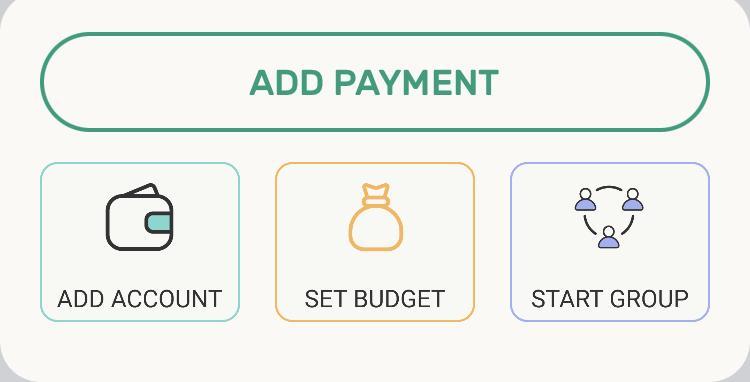
From the bottom green plus button, you can also add accounts. Here you are able to sync your accounts – the app boasts 15,000 banks across 70 countries – or track a manual account. Once again, you have many, many options of the type of account to try.
From this same green button, you can set a budget. The top of this page will show you how much you spend on average per month and per day. It will also show you how much you have to budget for per month and per day.
For example, you have $4000 for the month or $138 per day. Here you will again be able to see how much you spend historically, based on the accounts you have synced. The more accounts you sync, the more accurate your budget will be.
From this point, you are able to set up your budget. If you only have the free version, you will list everything under one category, such as Everything Else. You can list an amount you’d like for this budget – such as your income for the month.
If you use the free version, you will only have one budget line available. If you pay for Wally Gold, you will have access to many more categories, such as Auto, Entertainment, and Medical. You can also choose to have your budget reset monthly or weekly.
The last option from the green plus button is to start a group. This is a great way to share information with others who are invested in your financial journey, such as your spouse or accountability partner.
You start by entering a group name. The app will then ask for access to your contacts so that they can help you create a group, or you can add emails with the plus button. Once you have created your group, you are able to view spending, highlights, calendar, library, profile, and accounts in terms of your group – those who may be spending the same money or those who are holding you accountable for how you spend.
New features of this area are that the library is a great way for you to communicate with others in your group. You are able to set reminders, make lists, and share documents, notes, and comments.
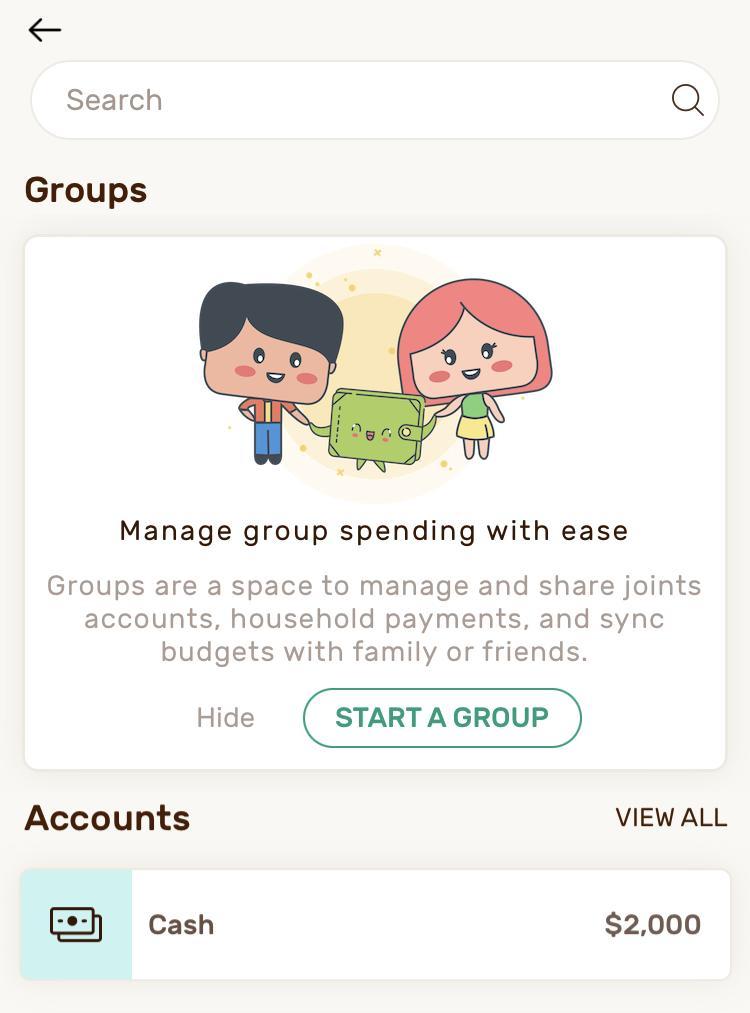
The option to start a group can be a great way to hold yourself accountable for the goals you have set for your financial journey.
Last, there is a symbol with a dollar sign and lines at the bottom right of the app. When you click on this, it gives you a list of your transactions and a search bar to find them more easily if you can’t. You can also use the filter to look for specific things, like expenses or income. There is also a way to organize the transactions by date, letter, or value.
What is positive about Wally?
Wally is a good way to get into the habit of budgeting. It offers a free and paid-for version of its app. Wally can make budgeting easier because everything is in the same location. Spouses and accountability partners can create a group to ensure that everyone has access to the budget and account information, or the login information can be shared with multiple people.
Wally also keeps things simple by offering to have budget information carried over month to month. So, for example, if you pay the same bills every month, you will not have to reenter that information more than once because you can set it to repeat automatically.
Wally also offers multiple graphics that help you to understand where your money is going and how much is left. Seeing your budget in multiple formats may help you to stay motivated to be on budget.
It is very easy to make adjustments to your budget at any point. By keeping notice of the top line that lists your total remaining budget, you can make sure that you do not overspend. Not only is this app easy to use, but you can take advantage of most of the features using only the free version.
What challenges might you face with Wally?
For one thing, learning how to use Wally (like almost all other budget apps) can be labor and time-intensive. Initial setup and maintenance will take an investment of time at first, but eventually, you should be able to move more quickly through the app.
For example, syncing all of your accounts will take some time at first, but as you continue using the apps, information will automatically show up on your app that will allow you to only spend a brief amount of time updating your budget.
Another negative is that in order for you to have access to all of the features of the app, you need to pay for Wally Gold. This can be done monthly for 8.99, annually for 39.99, or for a lifetime at 99.99. It is not a large investment, but it can potentially hurt your budget if you start paying for the app regularly and do not take advantage of all of the features.
Finally, it is hard to find help that is easily and readily available on the app. Although it is simple to use, if you are unable to figure something out, you have to send an email and wait for a response, rather than just look up helpful tips or faqs on the website.
What’s the bottom line on the Wally app?
Overall, Wally is a user-friendly budget app that allows you to track more than just your budget. If you are motivated to live your life on a budget, checking in with this app regularly could help you to find a positive budget relationship.
This program is beneficial for individuals and small families who are trying to get on and live with a budget – especially because of the groups that can be formed to keep everyone accountable.
If you have not found a budget app that you are completely in love with, this may be the one for you.
What questions should I consider before determining if Wally is right for me?
Everyone can benefit from using either the free or paid-for version of this app if they have the money in their budget to invest. This program can keep you aware of where your money is going every month and then give you a chance to reflect on how you are spending and how you can make improvements month to month. If you are unsure, however, here are some things to consider before deciding to start:
- Do I currently budget? Would my system be improved by using Wally instead if I currently am?
- If I am not currently budgeting, would Wally give me inspiration to budget?
- If I pay for Wally Gold, will I utilize it appropriately to get the most value for my money?
- If I do not use this app, how will I ensure that I practice positive financial habits such as spending less than I make and getting my money into savings, paying off debts, and building wealth?
Consider these questions on your own and then with a spouse or accountability partner. Figuring out the best method for budgeting for you is the best way to make sure that you will follow through on budgeting.
In conclusion, if you are considering using the Wally App to help you budget, I find that it is generally free to no-cost, user-friendly, and helpful in keeping track of not only your budget but all accounts you have, both local and international. Wally also helps to motivate you to budget appropriately by helping you set goals and using graphics to track your budgeting habits.
Make sure to give yourself time to properly use the app, at least 2-3 months, before making a final decision about it. This will allow you to see in real-time, and with others in your life, if the program is right for you and if it can really make a difference in your life. Here’s to Wally changing your budgeting habits!