

Last Updated on September 15, 2021
You Need a Budget is a personal finance budgeting app can help you learn how to better manage your money – i.e., spend less than you make.
Our review should help you determine if this is a worthy tool to add to your personal finance arsenal!
The YNAB platform is currently offering a free 34 day trial; allowing you to determine if it is worth spending your money on.
The cost of this program is $11.99 per month or $84 per year ($7 per month – a $59 savings). A built-in feature (that I truly love!) is that You Need a Budget includes a line that allows you to save up for the yearly subscription during the 34 day free trial period. This means that budgeting will help you save money – and pay for the program quickly and painlessly – without going into credit card debt.
Side note: I highly suggest that anytime you are looking to pay for something new, you add it in as a line to your budget, just as YNAB did here, to save up and pay for the purchase with cash. It is beneficial to plan ahead for new expenses as much as you possibly can.
If you don’t, it may cause you to overspend your budget and throw your financial plans off course. With time, using a budget should help you to get better at seeing where your money goes and how you can make adjustments.
How do you use You Need a Budget?
In order to use YNAB, start by gathering all the pertinent information you may need to set up your budget. This may include bank account information, bills, paycheck stubs and any financial goals you are currently working towards. Once you have this available, it will be a much quicker set-up process for the budget.
The first thing you should do is visit youneedabudget.com on your computer or download the YNAB app on your mobile device.
Once you have done this, sign up by using your email address and a secure password that you will remember. Remember, this is a 34 day trial (as of September 2021); therefore, you should not have to enter any credit card information in order to use the program.
This program, like others, will start by asking some questions of you – such as why you are interested in using the program and if you will be budgeting with someone or alone. Even if you don’t answer them, they may be something to consider on your own time in order to help you set up your financial goals, if you don’t already have some. These can really help to motivate you through those rough budgeting times!
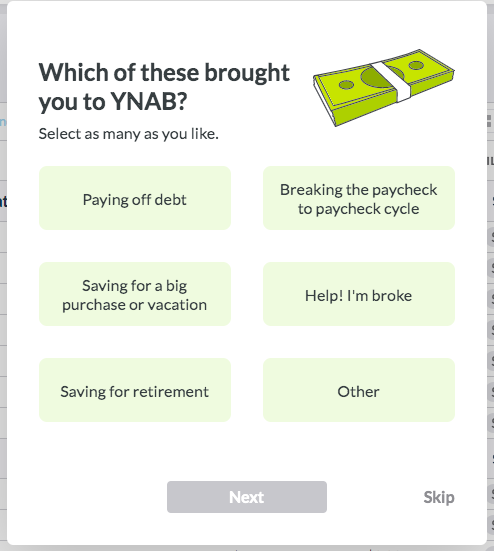
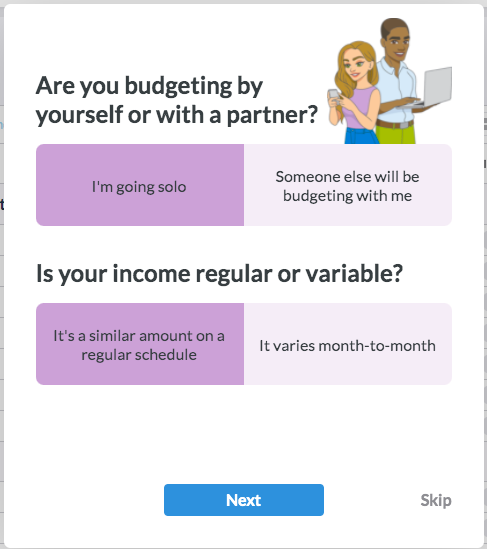
An example of the introduction questions for YNAB.
To begin getting your budget together, add your account(s) – this suggestion should be listed at the top of the page.
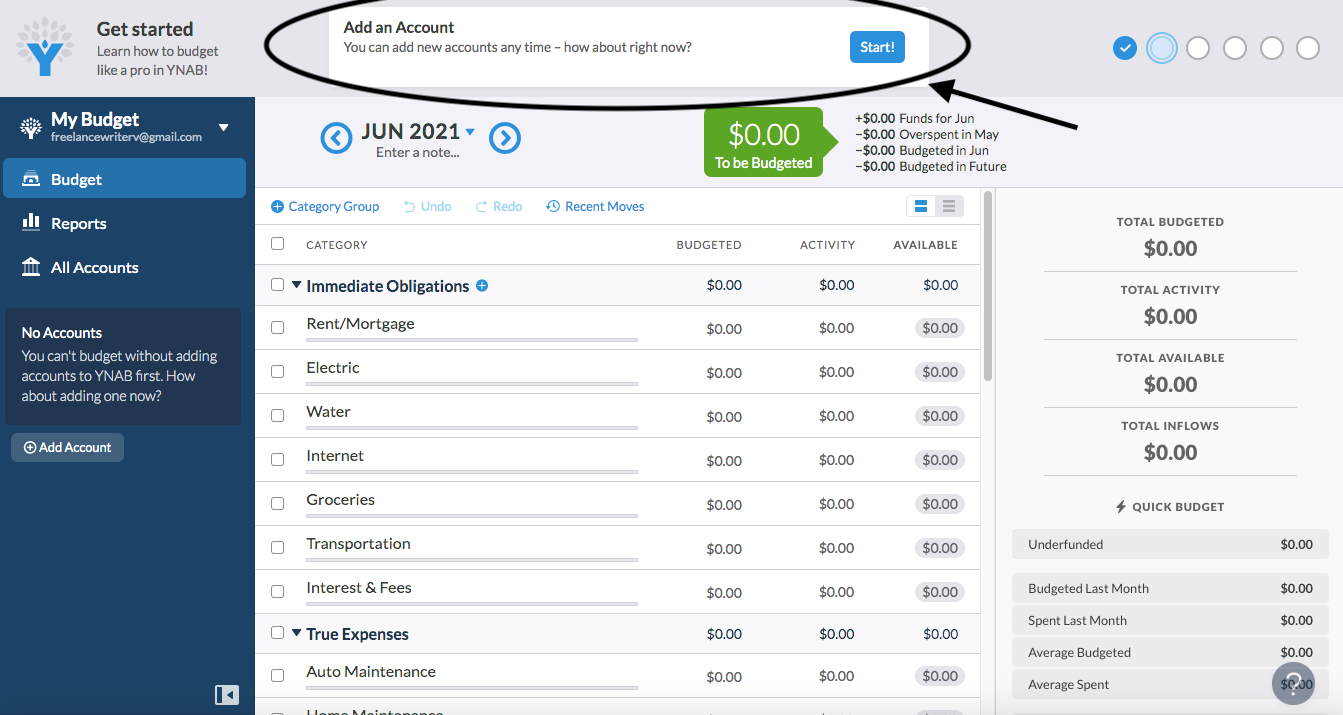
Start by adding one or more accounts and linking YNAB to your bank if you choose.
Choose to link or unlink your bank account – you can change your mind on this at any time. List the important information, such as the bank name and account balance (unlinked) or use Plaid to link your account. This will send you to verify with your bank and then return you to YNAB once you are fully linked.
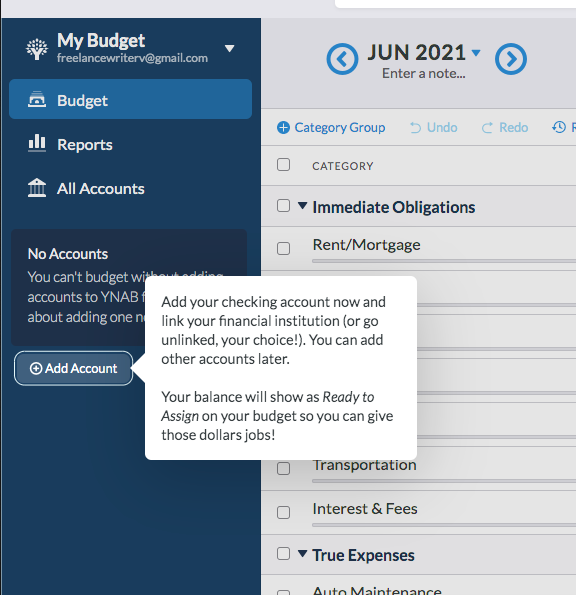
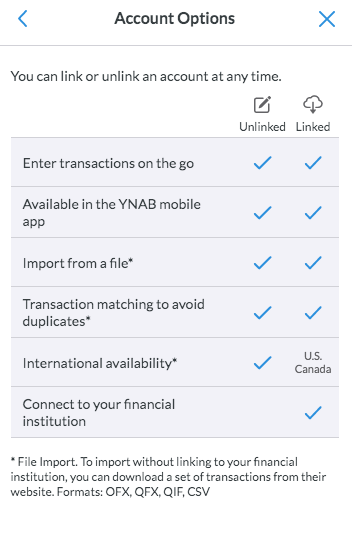
You can add accounts linked or unlinked (and can change this at any time), and you can return to the accounts area on the left side of the screen in the navy bar.
Once you have your account(s) set up, you should be able to see that you have a cleared, uncleared, and working balance. YNAB gives you the option to set a target to help you find a reason to stay on budget.
Here is where you may see an example of a target to help you pay for YNAB – a Software Subscriptions category that lists the amount you will need to pay for YNAB for one year – $83.99. You can choose to add other targets if you’d like; this is another item that can be revisited at any point.
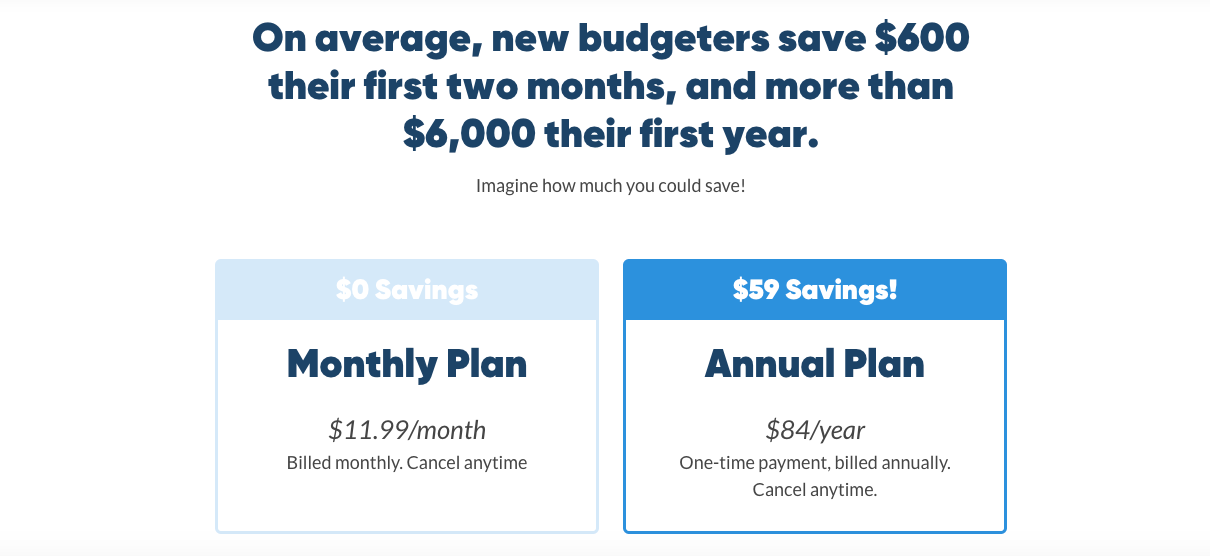
Some food for thought to help you consider how to best set up your budget if you choose to go with this program.
Once you have created targets to your liking, begin by assigning money. Your goal is to list amounts in the Assign category but never to go beyond zero in the green To Be Budgeted line at the top of the page.
As you enter amounts into that category, it will automatically deduct from what is available in your budget. If you find that you need to add another category, click on the + Category Group under the current month and year.
If you need to add to an already established category, hover next to that category’s title, such as Immediate Obligations or True Expenses. You can also rename lines by clicking on their title. Customize the program as much as possible to you – the more specific and involved you are, the greater likelihood of your success.
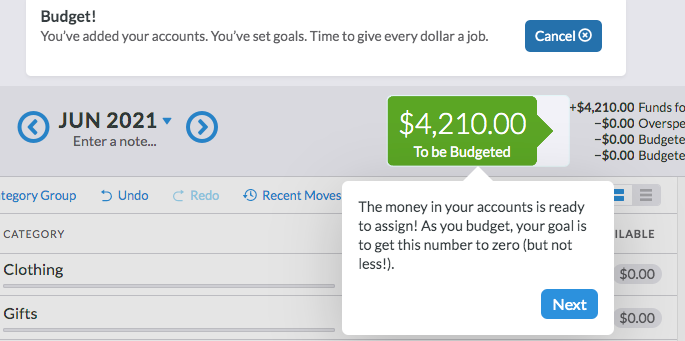
This top To Be Budgeted area will turn grey when you get to $0 and red if you overspend. As it says, give every dollar a job!
Remember that when starting a budgeting program, you may find challenges with both how to spend your money and getting everything to fit into the budget that you have. Try not to stress too much about this, as over time, it will get easier.
Just starting is key – stick with it as much as possible, because you will learn quite a bit about yourself and all the ways you can still save money.
Once you assign the money, it will show up as available. It will remain available until you track your expenses or until your linked account matches it to a specific allotment. Do your best to spend all your money so that the top green bar turns grey and says All Money Assigned.
If you have leftover money when you are working through your budget, add it to the Stuff I forgot to Budget for line because chances are you forgot something! If you are sure you remembered everything, consider adding another target to save for.
Utilizing all your money is a great way to make sure you are spending it with a purpose – and not just letting it flow out into the unknown.
At this point, you can begin scheduling transactions. This feature should be posted at the top of the page the first time you are setting your budget up. YNAB will take you through the step by step process to make sure you get it done correctly.
Click on the account you want the transaction to come from, click add transaction, select a date (this can be adjusted in the future), whether or not you want it to repeat, the payee, category, memo, and save.
Put the amount in outflow if this transaction will be leaving your account to pay someone else. Put the amount in inflow if the transaction will be entering your account from someone else. You can add and/or schedule as many transactions as you would like.
If you need to make adjustments at a later date, just revisit the navy bar and click on the account you would like to change transactions to.
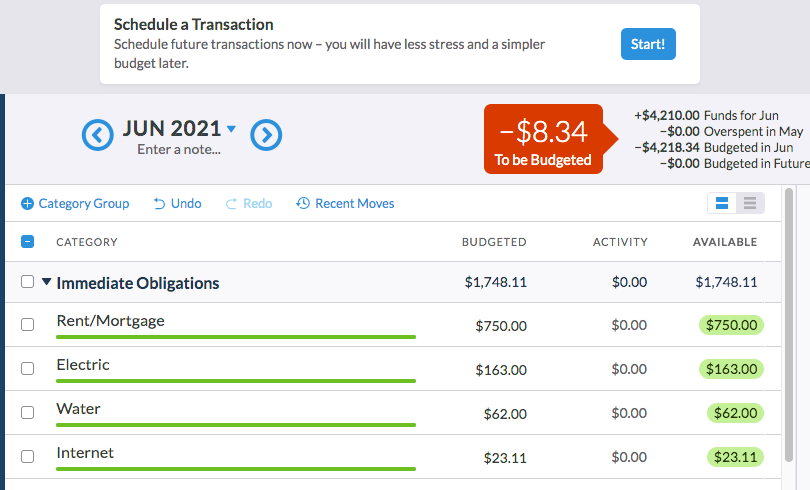
At the top of the page, you will be able to schedule transactions such as rent/mortgage or car payments.
The last step in setting up your budget is to move money if you need to. Remember when I mentioned budgeting at the beginning (or even later in your budgeting experience!) can be a challenge?
This is a chance for you to move money from one line or category to another if you are not able to pay for everything using the money the way it is currently set up.
For example, if you don’t have enough money for groceries but have set aside an extra $50 for car washes, you may consider washing your car at home and using that $50 for the grocery store.
Making these adjustments throughout the month can help you figure out how to spend your money better the next month and hopefully help you not to overspend this month.
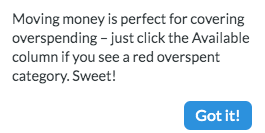
YNAB gives the option of moving money so that you don’t spend more than you have.
YNAB is great at helping you use the program correctly. If you forget how to use it, it suggests that you look back at the Quick Start Guide to get you back on track. Their tools are also listed on the dark blue banner on the left side of the screen. Here you can start new budgets, manage your accounts and join workshops! This is a great resource for helping you learn more about how to budget and help you stay motivated to continue to work hard to stay on track.
What is great about You Need a Budget?
Some positive aspects of YNAB are that you are able to link your accounts (as many as you’d like!), the budget spreadsheet can be as detailed as you’d like it, it is user friendly, and it offers resources to help you continue to be successful.
If you are paying for a program, you may as well get as much out of it as possible – such as learning about how to best use the program and how to stay motivated to keep working on your budget every month.
What challenges might you face with You Need a Budget?
Although YNAB is user friendly, it will take some practice and getting used to it. You have to put in the time to make your budget work – but you would have to do this with any budgeting system you choose.
If you choose not to link your account, you will have to track all of your transactions on your own, which is more timely than linking your account. In my opinion, however, this gives you more awareness of how your spending is going.
You do have to pay for this program after the 34-day free trial, but YNAB attempts to motivate you by helping you plan for the amount you need within the 34 days – which is very helpful and motivating.
What’s the bottom line?
In my personal opinion, I am a big fan of You Need a Budget. This is a great tool for anyone who is looking to help get their money in order. It is user friendly and gives you the support and education you need to succeed with your money.
As I’ve said before, you may consider giving it a few months before you decide if it’s something you want to fully commit to. In that case, plan on paying the monthly fee (add a line to your budget), so you can make that decision.
What questions should I consider before determining if You Need a Budget is right for me?
I believe that everyone can benefit from using You Need a Budget if you have the money in your budget for it. Even at that, you will probably get back what you spend because you will be able to save on your overall budget. If you are unsure of whether or not this is the program for you, however, here are some things to consider before deciding to start:
- Do I currently budget? Would my system be improved by using You Need a Budget instead if I currently am?
- If I am not currently budgeting, would the You Need a Budget format inspire me to do so?
- Do I have the time it takes to input all transactions throughout the month, or should I consider linking my bank accounts to YNAB?
- If I pay for YNAB, will I commit to using it in order to get the most value for my money?
- If I do not use this app, how will I ensure that I practice positive financial habits such as spending less than I make and striving to reach my financial goals?
Consider these questions on your own and then with a spouse or accountability partner. Figuring out the best method for budgeting for you is the best way to make sure that you will follow through with any budgeting program you begin.
In conclusion, You Need a Budget is another great option to consider when looking at how to track your budget. It has a generous free trial, motivates you to work the cost of a yearly subscription into your budget, allows you to link your bank accounts and is as detailed as you’d like it to be.
As with any app, use up as much of the free trial as you can before making your decision – and you can always choose the month to month payment plan if you are not completely sold after the trial period. Either way, find a budgeting system that works for you so that you can make sure your money is going where you want!